FreeNo sign-upYour backlog stays on your computer
Feature Prioritization Tool
Turn a long backlog into a release that fits: cut the ideas that don't serve what customers are trying to get done, rank the rest, fit them to your capacity, and order them along the user's journey. Five stages, ending with release slices and a full report.
The tour runs all five stages on an example invoicing app. Nothing in it touches your own work. Allow three to five weeks in all: most of it goes on customer conversations and the survey, not on the tools.
Five stages, in order
Each stage asks one question and hands its answer to the next. You can stop after any stage: save your progress file, and pick up later on any computer. The feature prioritization playbook explains the method behind each one.
-
Stage 1 of 5 · Jobs to Be Done
What are customers trying to get done?
1 to 2 weeks
- You bring
- Conversations about the last time customers used the product for something that mattered, and your backlog: pasted, or a CSV from Jira, Trello or a spreadsheet.
- You get
- The job, written as customers put it, and a backlog cut down to the ideas that serve it.
How Jobs to Be Done worksUse the Jobs to Be Done tool on its own
-
Stage 2 of 5 · Kano Model
Which features matter, and how?
1 to 2 weeks
- You bring
- Two questions about each idea in a short customer survey, or the team's best answer as the quick option.
- You get
- Each idea sorted by how it affects satisfaction, with any basic that fails today set to be fixed first.
-
Stage 3 of 5 · RICE Score
Which ideas give the most for the effort?
2 to 3 days
- You bring
- Four estimates for each idea: reach from usage data, impact and confidence from what you know, effort from the people who will build it.
- You get
- A ranked list, with the scores that rest on a guess marked for testing.
-
Stage 4 of 5 · MoSCoW
What goes in this release?
Half a day
- You bring
- The team's capacity for the release, in person-months, design and testing included.
- You get
- A release that fits, sorted into Must, Should, Could and Won't, with room left for surprises.
-
Stage 5 of 5 · User story map
In what order do users get it?
1 day
- You bring
- An hour or two with design and engineering, to lay the release along the user's journey.
- You get
- Release slices a user can walk end to end, so the first one is usable on day one.
How user story mapping worksUse the story map tool on its own
What you finish with
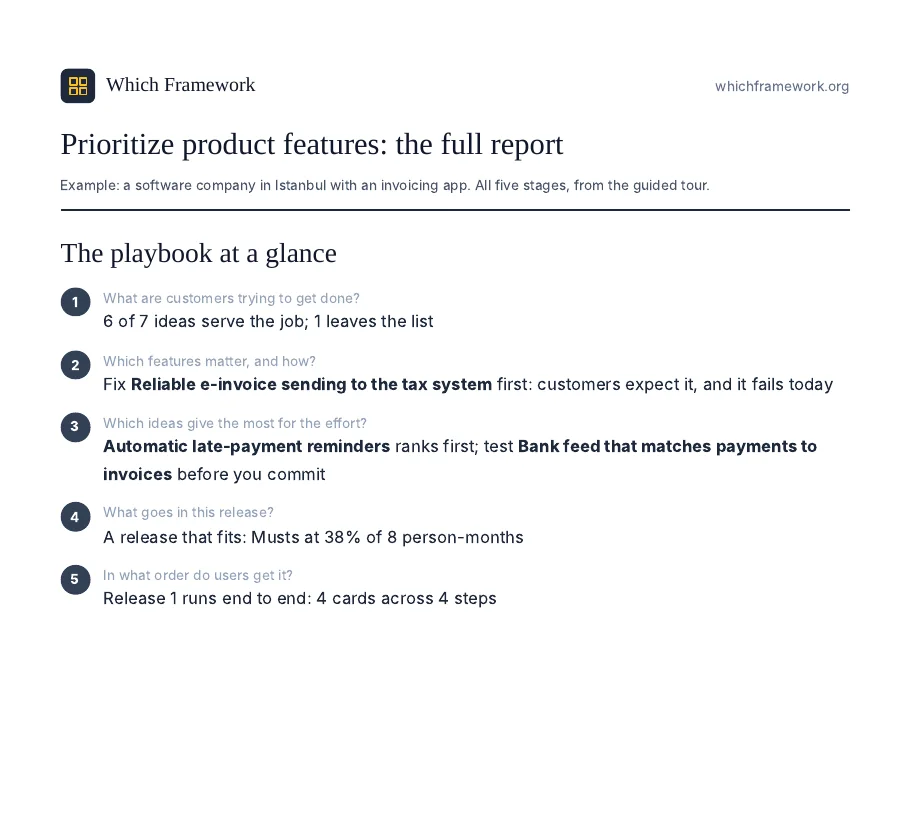
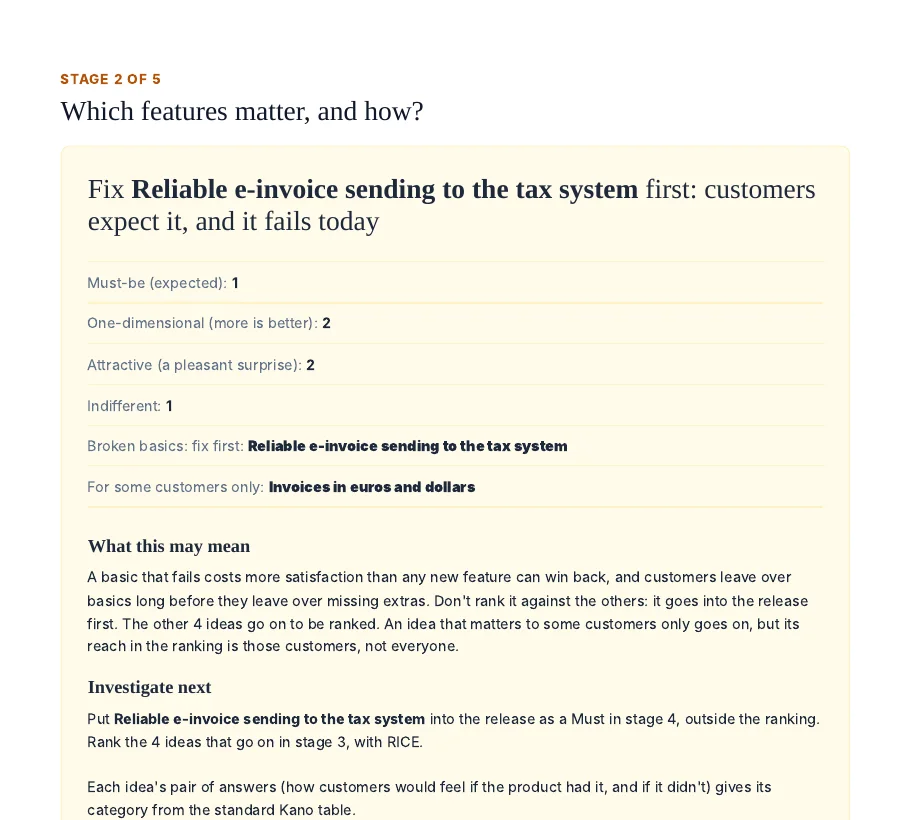
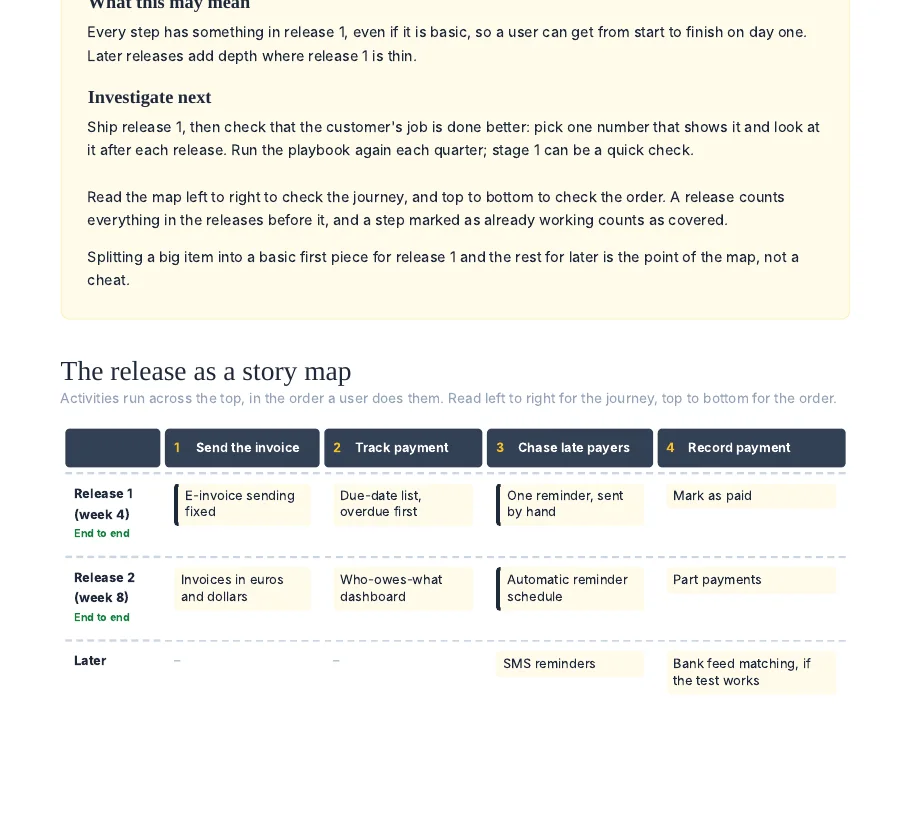
From the guided tour: a software company in Istanbul whose invoicing app 4,000 small businesses pay for.
Download the example report (PDF, 7 pages)A PDF report of the whole playbook. One headline for each stage, as in the example, then each stage's diagnosis: what it found, what that means, and what to do next. It ends with the story map and its release slices.
A progress file you keep. An Excel workbook with a sheet for every stage, updated each time you save. It is also how you come back: choose it on this page or on any stage, and the playbook reopens where you left off.
Checks along the way. A basic that fails today goes first, outside the ranking; a top idea that rests on a guess is tested before it is built; and Musts that take more than 60% of capacity are moved down.
Questions
Is it free?
Yes. There is no sign-up. The PDF report asks for an email address; everything else works without one.
Where does my backlog go?
Your ideas, notes and estimates stay in your browser and in the progress file you download. To write each stage's diagnosis, the page sends our server only counts, scores and the places of items in your lists, never the ideas themselves.
Do I have to do all five stages?
No. Each stage also works on its own, from the tools page. If you already have a ranked list, start at stage 4 to cut a release.
Can several people work on it?
Yes, by passing the progress file. Save it after a stage, send it to a colleague, and they choose it on this page to carry on from there.
How is this different from the playbook article?
The article explains the method and follows one company through it. The tool runs the same five stages on your own backlog, and writes the diagnosis at each one.