Playbook
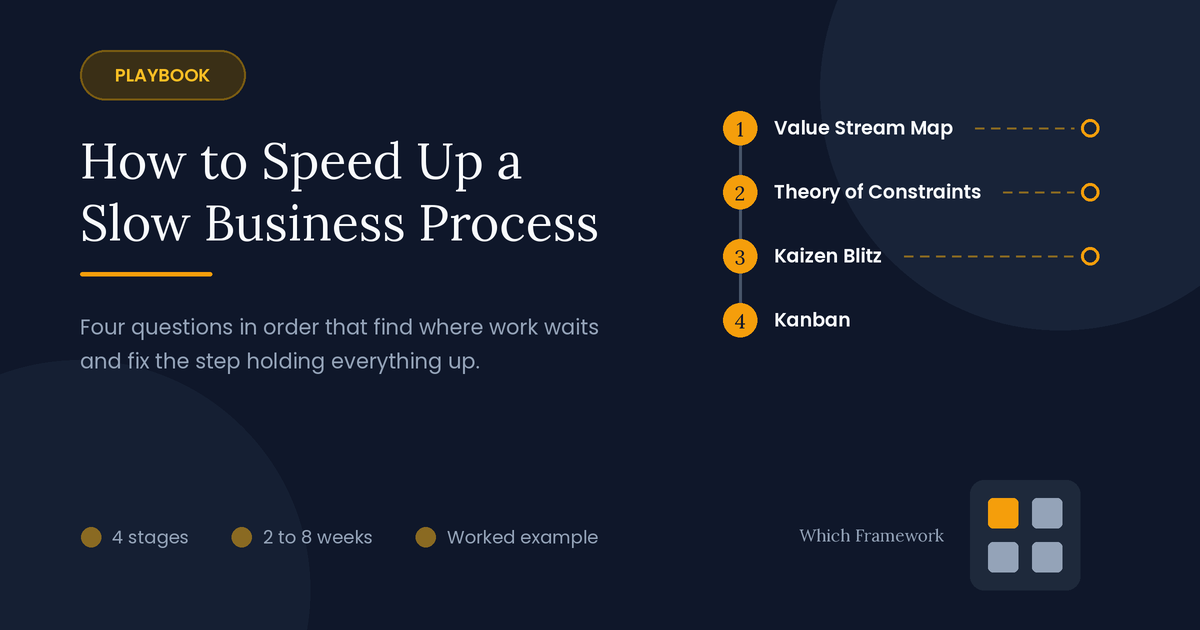
How to Speed Up a Slow Business Process
Four questions, asked in order, for work that takes far too long.
A process speed-up playbook is a four-stage sequence of operations tools that finds where a process spends its time waiting, fixes the step holding everything up, and keeps the gain.
The route
Four questions, in order
Slow processes are rarely slow because people work slowly. Most of the time, work is waiting. This playbook finds where it waits, fixes the one step that holds everything up, and keeps the queue from building again. Three points on the route can send you elsewhere.
On timing: stages 1 and 2 take two to three weeks. Stage 3 is a five-day event with a month of follow-up. Stage 4 starts during that event and then runs every day. When the first constraint is fixed, the next one appears, and you go back to stage 2.
-
Where does the time go?Stage 1 · Value Stream Mapping
Passes on: every step's working time and waiting time, on one page
Mostly errors, not waiting?Use Lean Six Sigma instead.
-
Which step holds everything up?Stage 2 · Theory of Constraints
Passes on: the constraint, and how to get more through it
The constraint is a rule?Change the rule. No event needed.
-
How do you fix that step quickly?Stage 3 · Kaizen Blitz
Passes on: a tested change to the constraint, running as the new standard
The gain faded within a month?Find what slipped back before moving on.
-
How do you stop work piling up again?Stage 4 · Kanban
Passes on: a board with limits that keeps work flowing
- What happens when the next step slows?Then · Measure lead time, then repeat from stage 2
The example
One process, followed all the way through
This playbook follows one process from start to finish. It is an illustrative composite, and the details are simplified.
A mid-sized bank in Almaty, Kazakhstan, takes 34 days on average to approve a mortgage. Its two largest competitors take about ten. Customers who are approved elsewhere first simply withdraw. The head of retail lending has been asked to cut the time in half without hiring more staff. Every department believes its own step is fast, and each one is right about its own part.
Each stage below ends with what the bank produced at that step, so you can watch one stage's output become the next stage's input.
Stage 1 of 4
Where does the time go?
Tool: Value Stream Mapping · Time: 1 to 2 weeks
Start by drawing the whole process on one page, from request to delivery. Value Stream Mapping records every step and, under each one, two numbers: how long someone works on the item, and how long it waits before that step.
Get the numbers from real items, as the card below explains. Then add up the two rows separately. The gap between them is the point of the exercise: in most office processes, work fills less than a tenth of the time.
This map is the current state. Value Stream Mapping goes on to a future state and a plan to reach it; here, stages 2 to 4 are that plan.
Three Value Stream Mapping terms
- LLead time
- Total time from start to finish, as the customer sees it
- PProcess time
- Time someone is actually working on the item
- WWaiting time
- Lead time minus process time: the item sits in a queue
How to follow real items through
The ruleTime what happened, not what people say usually happens
- PickTen to thirty recent items, of the normal kind, not the problem cases
- RecordThe date and time each one arrived at each step, and when work on it started and stopped
- CheckWalk the process with the people who do each step, and ask where items wait and why
| Step | Intake | Document check | Credit scoring | Property valuation | Credit committee | Contract and payout | Total |
|---|---|---|---|---|---|---|---|
| Waiting before the step | – | 4 days | 3 days | 14 days | 5 days | 8 days | 34 days |
| Working time | 1 hour | 2 hours | 1 hour | 3 hours | 30 minutes | 90 minutes | 9 hours |
Handed to stage 2: 34 days of lead time holding about 9 hours of work. More than a third of the waiting sits in front of one step: property valuation.
Decision point
If the problem is mostly errors and rework, not waiting, use a different tool. Lean Six Sigma targets defects and variation. This playbook targets delay. Here, rework explained only a small share of the time, so the route went on.
Stage 2 of 4
Which one step holds everything up?
Tool: Theory of Constraints · Time: 2 to 3 days
Every process has one step that limits how much gets through, the constraint. Theory of Constraints says that speeding up any other step changes nothing: work simply waits longer in front of the constraint. So find it, and focus there.
The map from stage 1 usually points to it: the step with the longest queue in front of it. Three signs, seen together, confirm it. A step with a long queue that is not always busy is usually waiting on something else, so keep looking.
Three signs that confirm the constraint
- 1The longest queue
- Work piles up in front of it
- 2Starved steps after it
- People further on wait for work to arrive
- 3Always busy
- It never runs out of work, even on quiet days
Then work through the Five Focusing Steps, in order. The order matters. Adding people or money comes fourth, after getting the most out of what is already there.
The Five Focusing Steps: Identify, Exploit, Subordinate, Elevate, Repeat
- 1Identify
- Find the constraint: valuation, with 14 days of queue
- 2Exploit
- Get the most from it: order the valuation on day 1, not after the document check
- 3Subordinate
- Make other steps serve it: the document team works through files in the order their valuations are booked, so no valuer waits for paperwork
- 4Elevate
- Add capacity only now: a second valuation firm
- 5Repeat
- Find the next constraint once this one moves
Sometimes the constraint isn't a step at all, but a rule: a committee that meets once a week, or a sign-off nobody remembers the reason for. A rule can be changed in a meeting.
Handed to stage 3: the constraint is property valuation. The bank starts with Exploit: ordering the valuation on the first day, alongside the document check rather than after it.
Decision point
If the constraint is a rule, change the rule. No improvement event is needed. Here the constraint was real work, but the next one, a credit committee that meets weekly, turned out to be a rule.
Stage 3 of 4
How do you fix that step quickly?
Tool: Kaizen Blitz · Time: a five-day event, with two weeks of preparation and a month of follow-up
A Kaizen Blitz is a short, focused improvement event, usually five days, in which a team from every function the step touches scopes, measures, tests and puts in place a change to one process before the week ends.
Point it at the constraint and nothing else. Change is tested on real work during the week, not argued about in meetings. By Friday, the new way is written down as the standard, with an owner.
Most gains from these events fade within months, because people drift back to the old way once attention moves on. So the event's real end is a check 30 days later: is the new standard still being followed, and is the measure still better?
Choose the team with care: the people who do the constraint step, one person from the step before and after it, and someone with the authority to change a form or a rule on the spot. Six to eight people is enough.
| Day | What happened |
|---|---|
| Monday | Scope agreed: valuation only. The team of six walked ten live files from intake to valuation |
| Tuesday | Found why valuations waited: they were ordered only after the document check passed |
| Wednesday | Tested ordering valuations on day 1 for twelve new files |
| Thursday | Fixed the forms valuers kept sending back, and agreed what happens if a file later fails |
| Friday | New standard written, owner named, 30-day check booked |
Handed to stage 4: valuation waiting fell from 14 days to 5, and was still at 5 at the 30-day check. Average lead time fell from 34 days to about 25.
Decision point
If the gain fades within a month, find what slipped back before moving on. A second event on a new constraint, on top of a gain that is fading, wastes both.
Stage 4 of 4
How do you stop work piling up again?
Tool: Kanban · Time: set up during the event, then daily
A fixed constraint stays fixed only if work stops piling up in front of it again. Kanban makes the flow visible on a board, with one column for each step, and puts a work-in-progress limit on each column: the most items that may sit there at once.
When a column is full, the step before it stops pushing work in and helps clear the queue instead. Work is pulled forward when there is room, not pushed when the earlier step finishes. That is what keeps queues short, and it shows the next constraint as soon as it appears: the column that is always full.
Set each limit at about the number of items in that column today, then lower it a step at a time. Hold a short daily meeting at the board, and start with the column that is at its limit.
1Document check
- 14 filesIn progress
Limit 20
2Valuation
- 15 filesFull: no new files pulled in
Limit 15
3Credit committee
- 22 filesWaiting for the next meeting
Limit 25
4Contract
- 9 filesIn progress
Limit 20
Handed on: the valuation column is at its limit, so the document team stops starting new files until a place opens up. The credit committee column is close to its limit most weeks: the next constraint.
Pace
Fast track or thorough
The fast track suits a small team and a short process. The thorough run suits a process that crosses several departments, where nobody sees the whole flow. Either way, the order of the stages stays the same; only the depth changes.
| Stage | Fast track (about a week) | Thorough (6 to 8 weeks) |
|---|---|---|
| 1. Value Stream Mapping | Five items followed on a whiteboard | Thirty items timed, across departments |
| 2. Theory of Constraints | The longest queue, by eye | Queues measured for two weeks |
| 3. Kaizen Blitz | A two-day session | A full five-day event with a 30-day check |
| 4. Kanban | A whiteboard with limits | A shared board for every step |
Failure modes
How process speed-ups go wrong
| What happens | What it looks like | The fix |
|---|---|---|
| Speeding up the wrong step | A faster step, and no change in lead time | Find the constraint first |
| Mapping from memory | A tidy map that matches nobody's real day | Follow real items through |
| Hiring first | More staff, and the queue moves elsewhere | Exploit and subordinate before you elevate |
| Declaring victory on Friday | The old way back within weeks | Check the standard after 30 days |
| Stopping at one constraint | One fix, then the gains stall | Repeat from stage 2 with the next one |
After the playbook
Measuring lead time, then repeating
Track lead time every week, from the customer's point of view, as one of your KPIs. For the bank, the measure that mattered was the share of mortgages approved within 14 days, which rose from 4% to 31% in the first quarter.
Then repeat from stage 2. The Five Focusing Steps end with Repeat for a reason: once one constraint moves, another step becomes the limit. At the bank, the next one was the weekly credit committee, a rule, fixed by letting it approve smaller loans between meetings.
Keep the map from stage 1 up to date as you go. Redraw it after each constraint is fixed: the waiting moves, and the new map shows where it went.
Common questions
Process speed: quick answers
What is value stream mapping used for?
To see a whole process on one page, from request to delivery, with the working time and the waiting time of every step. It shows where work waits, which is usually where most of the time goes, and it is the first step in deciding what to fix.
What is a work-in-progress limit?
The most items allowed in one step of a process at once, shown at the top of a column on a Kanban board. When a column is full, the step before it stops sending work and helps clear the queue. Limits keep queues short and make the next bottleneck visible early.
How long does a kaizen blitz take?
The event itself usually runs five days. Allow about two weeks before it to scope the problem and collect data, and a check 30 days after it to confirm the new way is still being followed. A smaller problem can be handled in a two-day version.
How do you speed up a slow business process?
Find where the time actually goes, then fix the one step that holds everything up. Map the process with working and waiting time for each step, find the constraint, fix it in a short focused event, and use a Kanban board with limits to stop work piling up again.
What is the difference between lead time and process time?
Lead time is the total time from start to finish, as the customer sees it. Process time is the time someone is actually working on the item. The difference is waiting time, and in most office processes it is far larger than the work itself.
What is a bottleneck in a process?
The step that limits how much work gets through, called the constraint in the Theory of Constraints. It usually has the longest queue in front of it. Speeding up any other step doesn't shorten the lead time, because work simply waits longer in front of the bottleneck.
What are the Five Focusing Steps?
Identify the constraint, exploit it by getting the most out of it, subordinate other steps to its needs, elevate it by adding capacity, and repeat when the constraint moves. Adding capacity comes fourth, after the cheaper steps.
Should I use Lean Six Sigma or Theory of Constraints?
It depends on the problem. If the process is slow because work waits, start with Theory of Constraints. If it is slow because of errors and rework, Lean Six Sigma, which targets defects and variation, is the better fit.
How do you stop process improvements from fading?
Write the new way down as the standard, give it an owner, and check it 30 days later. A Kanban board with work-in-progress limits also helps, because it makes a growing queue visible before it becomes a delay.
Frameworks in this playbook
- Value Stream MappingStage 1: Where does the time go?
- Theory of ConstraintsStage 2: Which one step holds everything up?
- Kaizen BlitzStage 3: How do you fix that step quickly?
- KanbanStage 4: How do you stop work piling up again?
- Lean Six SigmaInstead: when the problem is errors, not waiting
- KPIsAfter: lead time tracked weekly